Understanding the profile assignment of multi-app kiosk mode on Windows 11

This week is all about multi-app kiosk mode on Windows 11. That on itself is not something really new and to get started with that, have a look at this post around configuring multi-app kiosk mode on Windows 11. The documentation, however, is getting better and better, by describing more and more capabilities for multi-app kiosk mode on Windows 11. One of the challenges used to be the profile assignment of the multi-app kiosk mode configuration. Especially when looking at an autologon scenario. There are now configurations available to address basically all of the different scenarios that could be required. From autologon, to global assignment, to individual assignments, to group assignments. And from local accounts to Entra accounts. This post will provide a closer look …

Read more

Blocking the Microsoft Store Web Installer using Entra Internet Access

This week is all about addressing a really specific scenario and that scenario is related to the Microsoft Store. Many organizations are preventing access to the Microsoft Store app by using the policy setting Turn off the Store application. That policy setting, however, does literally what the name implies, it turns off the Store application. That does not prevent users from navigating to apps.microsoft.com, downloading an app and installing it directly. In the early days that download option did not exist, meaning that this scenario did not exist. That all changed with the Microsoft Store Web Installer. The Microsoft Store Web Installer is a standalone installer for Store apps that helps with downloading and installing apps from apps.microsoft.com. It basically creates a stub .exe-based installer …

Read more

Disabling MDM enrollment when adding work or school account

This week is all about a recently introduced setting in the automatic enrollment configuration of Windows devices, and that setting is Disable MDM enrollment when adding work or school account. That is a setting that many IT administrators have been waiting for, as it addresses that terrible experience when adding a work or school account to an app. That was the fantastic checkbox experience in which the user had to uncheck Allow my organization to manage my device to prevent a (personal) device from being enrolled into Microsoft Intune. Luckily, that has changed for the better. That whole experience got a whole lot better, as the new recently introduced experience differentiates with two screens between app sign-in and device management. Best part of it, with …

Read more

Managing Copilot in Microsoft Edge

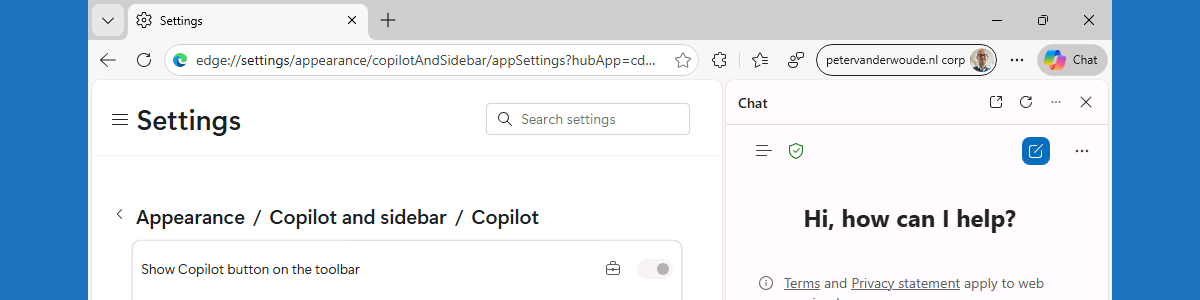
This week is all about managing Copilot within Microsoft Edge. There were already some nice configurations available for a while and recently an additional configuration was added around sharing tenant-approved browser history with Copilot search. That was a nice trigger for this post, focused on managing those available configurations. Working with Copilot in Microsoft Edge, does often require the organization to make that functionality available to the users. The good part is that it is often already disabled by default when using an organizational account. Especially in the EU, Copilot in Microsoft Edge has some default constraints that can be adjusted when needed. That is for example applicable to configuration around accessing Microsoft Edge page content for Entra accounts. This post will provide a closer …

Read more

Getting started with point-in-time restore in Windows

This week is all about another restore capability in Windows, and that capability is point-in-time restore. Recently, Microsoft has introduced many new features related to the backup, restore and recovery of Windows. That started with Quick Machine Recovery, which is focused on recovering Windows devices when encountering critical errors that prevent the device from booting, and that was quickly followed by Windows Backup for Organizations, which is focused on making it easier to switch towards new Windows devices. Now, the next addition is point-in-time restore, which is focused on restoring a Windows device to the exact state of that earlier point in time. Point-in-time restore relies on restore points that are stored locally on the device and that are captured by using Volume Shadow Copy …

Read more

Being careful with the ability to configure the preferred Entra tenant domain name

This week will be a relatively short blog post about a relatively often seen challenge with the configuration to set the preferred Entra tenant domain name. More specifically, this post will be about the PreferredAadTenantDomainName policy setting. That setting can be used by an IT administrator to basically preconfigure the tenant domain name for the user. Practically that would mean that when the organization uses the @petervanderwoude.nl tenant domain name, this policy setting would be configured with petervanderwoude.nl and would make sure that the user only has to specify their username without the tenant domain name to actually sign in to the device. That can provide a much easier experience. It does, however, come with some drawbacks that should be taken into consideration. The main …

Read more

Getting started with the PowerShell script installer for Win32 apps

This week is all about the recently introduced functionality to use PowerShell scripts for installing and uninstalling Win32 apps. That functionality enables IT administrators to use a PowerShell script as the installer type for Win32 apps. To make that a little bit more concrete; it enables the IT administrator to select a PowerShell script that should be used for installing a Win32 app. Before it was already possible to use a PowerShell script within the command line for the installation of a Win32 app, but that always had to be a script that existed within the Win32 app content. The major challenge with that approach was that every adjustment to that PowerShell script would require building a new Win32 app. That was far from ideal, …

Read more

Getting started with secure password deployment in Microsoft Edge

This week is still about Microsoft Edge. More specifically, this week is all about the secure password deployment feature of Microsoft Edge. Secure password deployment enables IT administrators to securely deploy encrypted shared passwords to users. That can be useful with shared credentials for specific user accounts and applications. For example for easily getting access to a specific dashboard, or to specific social media accounts. There are many possible use cases. With secure password deployment, users will receive the deployed passwords in their work profile in Microsoft Edge on their managed device. That will help with reducing the risk of (over)sharing passwords with the wrong audience, and with that it helps with enhancing the overall security posture of the organization. This post will look closer …

Read more

Allowing users to request the installation of browser extensions for Microsoft Edge

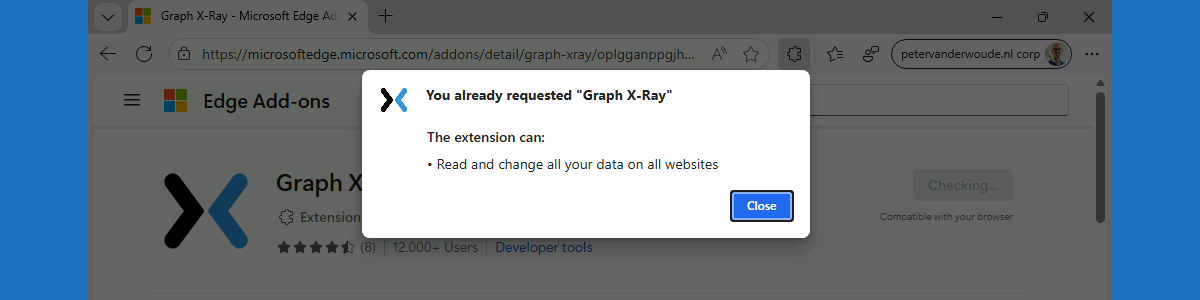
This week is also about Microsoft Edge. More specifically, about managing browser extensions for Microsoft Edge. That has been a subject before, but in that case it was focused on fully managing Microsoft Edge browser extensions on Windows devices. In that case, it was a pretty strict configuration focussed on creating an allow list for Microsoft Edge browser extensions. There are, however, easier methods for allowing users to request the installation of extensions for Microsoft Edge. Within the Microsoft Edge management service there is ability to block the installation of extensions by default, while allowing user to request the installation of any blocked extension. Once the installation is requested, the IT administrator has to approve the installation by allowing the requested extension. With that, IT …

Read more

Reinforcing data protection with watermark protection in Microsoft Edge

This week is all about watermark protection in Microsoft Edge. Watermark protection is focused on visibly reinforcing data protection in Microsoft Edge, and that reinforcement is achieved by overlaying a watermark on sensitive data when viewed in the browser. Watermark protection in Microsoft Edge is – like in any other Microsoft solution – designed to discourage sharing screenshots, support compliance requirements, and increase the awareness of users when handling sensitive data. With that, watermark protection does not technically prevent users from sharing sensitive data, but it does make the user aware of the sensitivity of the data. And on top of that, it will become a lot easier to understand the source of a potential data leakage. This post will provide a closer look on …

Read more