Introducing enhanced app inventory for Windows devices

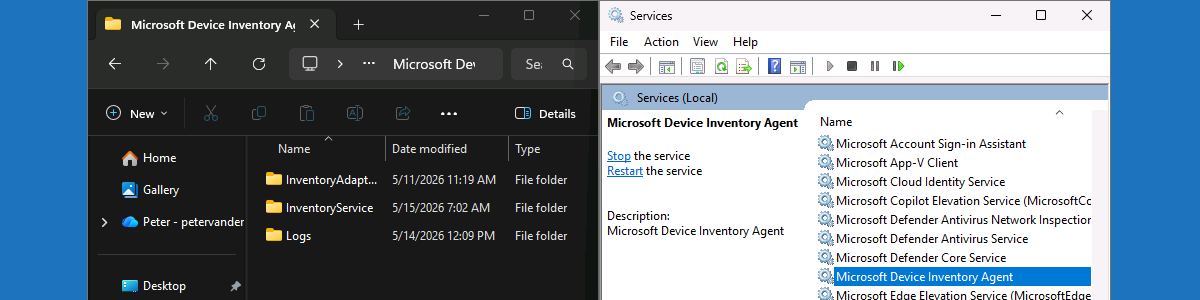
This week is all about the new and enhanced app inventory for Windows devices. A lot has been written about that feature already, but it is such an important enhancement that it deserves it place on this blog as well. For many years the best thing for app inventory in Microsoft Intune was the Discovered apps report. That report provided some pretty limited insights abouts the apps that are installed on the devices and the totals for all devices in the environment. The sources used for those insights, however, were pretty limited, which was the main reason why the information was never really useful. That might all change now, with the enhancements to the app inventory for Windows devices. It now uses a new upload …

Read more

Dynamically removing preinstalled Microsoft Store apps using native functionality

This week is all about a really nice addition to the native functionality to remove preinstalled Microsoft Store apps. That nice addition is the ability to dynamically remove any preinstalled MSIX/APPX app, which builds on the functionality described earlier about removing preinstalled Microsoft Store apps using native functionality. The story around removing those apps is still the same. When working with Windows devices in an enterprise environment, a common request is to control the preinstalled Microsoft Store apps. These default apps, which ship as part of the Windows image, often include consumer-oriented or redundant functionality that does not align with corporate standards. That makes removing often desirable. Removing these apps often required custom scripting, or other creative solutions. Starting with Windows 11 version 24H2, however, …

Read more

Locking down Windows devices by suppressing key combinations

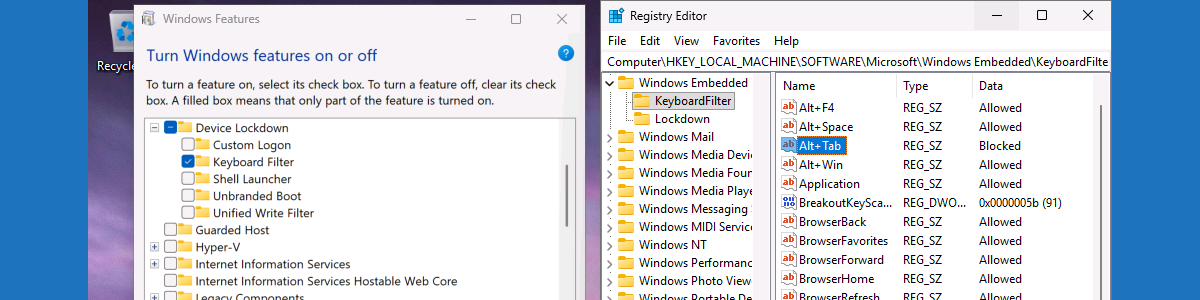
This week is not about something new. Not even close actually. This week is all about further locking down specific types of Windows devices, such as shared devices, kiosk devices, or even just actual locked down devices, by suppressing specific key combinations. There can be many scenarios on those types of devices that might require preventing users from using specific key combinations. That can be useful for preventing users from getting out of the locked down experience. And that should help with the device integrity and preventing unwanted access to the environment. There are actually multiple methods to actually achieve that configuration, and the best part is that Windows already contains one of those methods. As a part of the Windows Embedded experience, Windows contains …

Read more