Easily managing Windows App on Windows devices

This week is all about easily managing the Windows App on Windows devices. In the early days, the Windows App was pretty straightforward. There were some configuration settings available within the Windows App, and the user could configure those settings. Nowadays, more and more configuration settings have become available, and some now also become available for the IT administrators for central management. That enables IT administrators to manage the update behavior, the first run experience, the log off behavior, and the ability to create shortcuts. Especially, managing the update behavior can provide the IT administrators with a little bit more control over the updates for the Windows App, as it enables the them to configure an admin release ring and to turn off automatic updates. …

Read more

Getting started with deployments and deployment plans for an automated staged rollout

This week is all about deployments and deployment plans. Deployments and deployment plans have been introduced recently to provide IT administrators with the ability to create an automated staged rollout. An experience that is actually pretty similar to using deployment rings for deploying software updates. Deployments enable IT administrators to create a staged rollout for applications and policies. That staged rollout contains deployment rings (group assignments) that automatically progress based on specific date and time criteria. Those deployment rings create that similar automated deployment experience as already provided by the software updates rings. Just like that experience, the IT administrators also gets the controls to pause, resume, cancel, and delete the deployment. On top of that, deployment plans provide the IT administrators with the ability …

Read more

Making sure the multi-app kiosk configuration is applied after the installation of the applications

This week is all about making sure that the multi-app kiosk configuration is actually applied after the required applications are installed. The ordering is important because the multi-app kiosk configuration will not be correctly configured when the required applications where not installed when the configuration was applied. That was also an important subject during the session on the Workplace Ninja Summit about Mastering shared Windows devices in your environment. The basics around creating the multi-app kiosk configuration, using assigned access, has been described on this blog. Often, however, it refers to using a custom device configuration file. And, even though it technically works, it does not provide full control over the end-result. Given the fact that this was also subject of many questions during the …

Read more

Using multiple managed accounts with app protection policies

This week is all about a recently introduced feature for multiple managed accounts (MMA) with app protection policies. For a long time a big challenge with app protection policies (APP), or mobile application management (MAM) in general, was that it would only support a single managed account. Especially with the consultant-type scenarios, that could be really challenging. That would mean that as soon as the user already had a managed account from their own employer, that could not be combined with a managed account from the customer. Really challenging to address, almost impossible to be done right, and often resolved into not the best decisions. The good news is that this all changed! Starting recently, or almost starting, depending on the roll out, it is …
Read more

Configuring Point-in-time restore in Windows

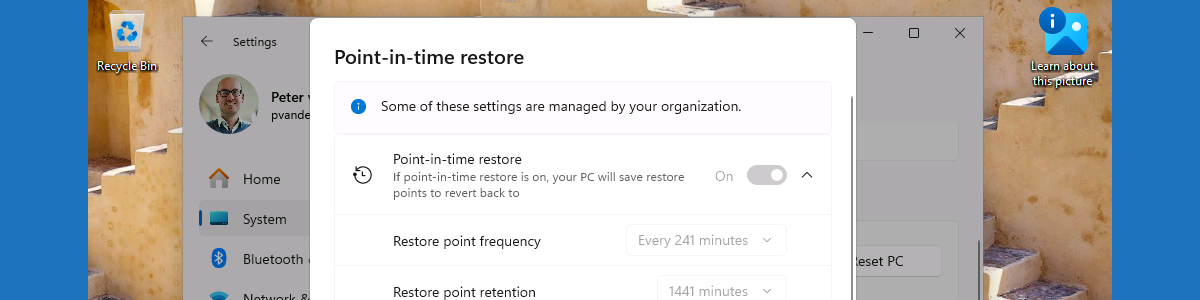
This week is a follow-up on this post of earlier this year about getting started with point-in-time restore in Windows. At that moment, the early release of Point-in-time-restore became available and showed the concept in the Windows. Now that functionality is further developed in to a general available feature that also includes management capabilities via Microsoft Intune. Point-in-time-restore fits perfectly in the storyline of the many new (and still coming) features related to the backup, restore, and recovery of Windows. That storyline goes from Quick Machine Recovery, which is focused on recovering Windows devices when encountering critical errors that prevent the device from booting, to Windows settings backup and restore (previously known as Windows Backup for Organizations), which is focused on making it easier to switch …

Read more

Managing Apple Intelligence on iOS and iPadOS devices

This week is all about managing Apple Intelligence on iOS and iPadOS devices. Apple Intelligence is the personal AI that is built directly into iOS, iPadOS and MacOS. With that, Apple provides users with generative AI models that can directly integrate with personal data to help with writing content, creating images, organizing notifications, and more, while keeping the data private by processing it locally or by using Private Cloud Compute. On top of that, it nowadays also provides the ability to integrate with ChatGPT. And that is where it might become discussion worthy for most organizations. In general, especially in Europe, organizations nowadays want control over their data and the location of their data. That might already be a discussion for the Private Cloud Compute, …

Read more

Collecting Windows registry data

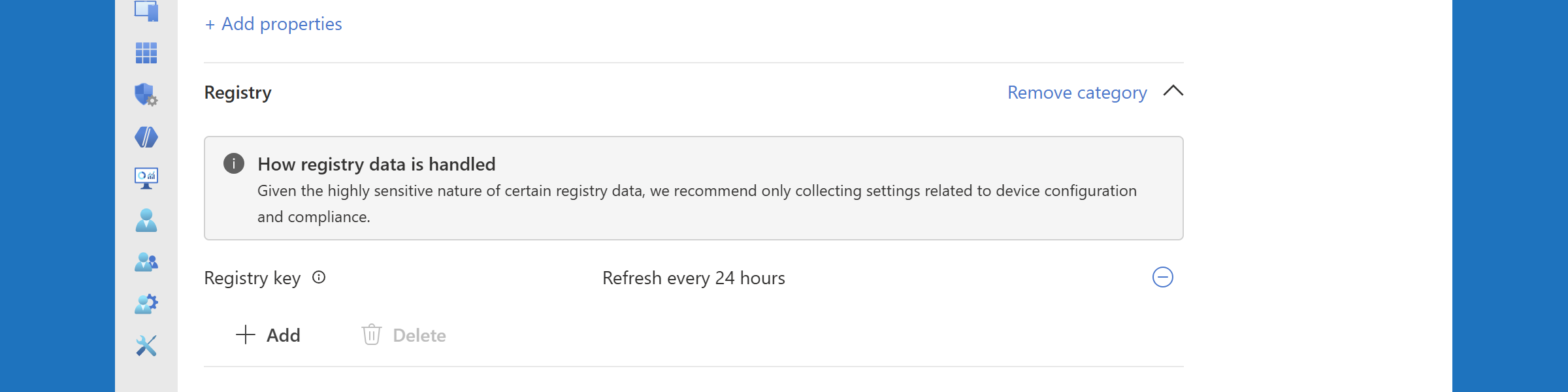
This week is all about the recently introduced capability to collect Windows registry data (or in other words, the ability to perform registry inventory). A lot has been written about that capability, but it is such an important enhancement that it deserves a place on this blog as well. Until this moment, IT administrators often used scripting solutions to collect specific Windows registry data. With the introduction of the collection of Windows registry data, the need for such solutions should decline. There will, however, always be scenarios in which it is better to still hold on to those scripting solutions. The capability to collect Windows registry data is part of the earlier introduced device inventory, using the Properties Catalog. That means that the collected information …

Read more

Customizing the pinned folders in Start layout

This week is all about customizing the pinned folders in the Start layout, and is a follow-up on this post about customizing the power options in Start layout. Again, it is important to start with that the fact that something is technically possible, does not mean that it should actually be done. In most cases, it should be up to the user to configure in the Start layout whatever they need to be productive. There are, however, cases in which an IT administrator might need to take a bit more control. That can be useful on shared devices, such as kiosk devices and Shared PCs. This post will be another part in the series to go through the different sections of the Start layout, this …

Read more

Customizing the power options in Start layout

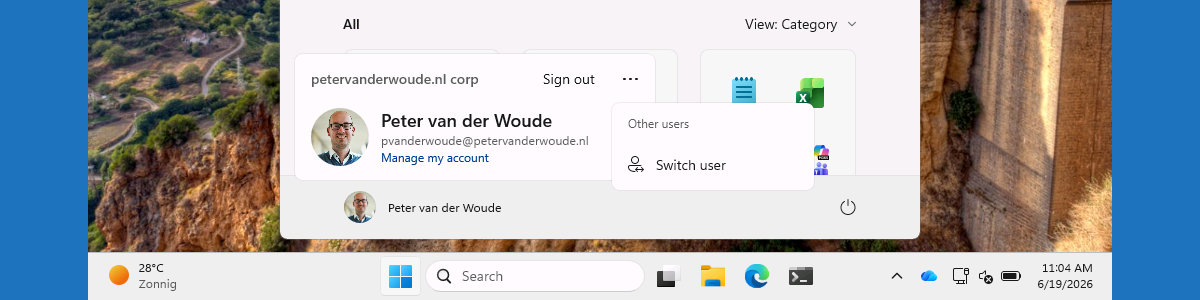
This week is all about customizing the power options in the Start layout, and is the first follow-up on this post about customizing the account settings in Start layout. Again, it is important to start with that the fact that something is technically possible, does not mean that it should actually be done. In most cases, it should be up to the user to configure in the Start layout whatever they need to be productive. There are, however, cases in which an IT administrator might need to take a bit more control. That can be useful on shared devices, such as kiosk devices and Shared PCs. This post will be another part in the series to go through the different sections of the Start layout, …

Read more

Getting started with Android Enterprise personally owned devices with work profile

This week is all about the move of Android personally-owned devices to the Android Management API (also known as AMAPI). The Android Management API is the API that is already being used for all the different corporate-owned device flavors that might exist already within the environment. That API is the recommended path for Android device management, by Google. With that API, Google also provides its own companion app Android Device Policy. That means that it is no longer required to create and maintain a custom device policy controller (DPC) to talk to an API. Together, that should help with faster availability of new features and consistency between the all different Android Enterprise management flavors, as all of those flavors are now managed via the same …

Read more