Hiding the recommended section from the Start layout and multi-app kiosk mode

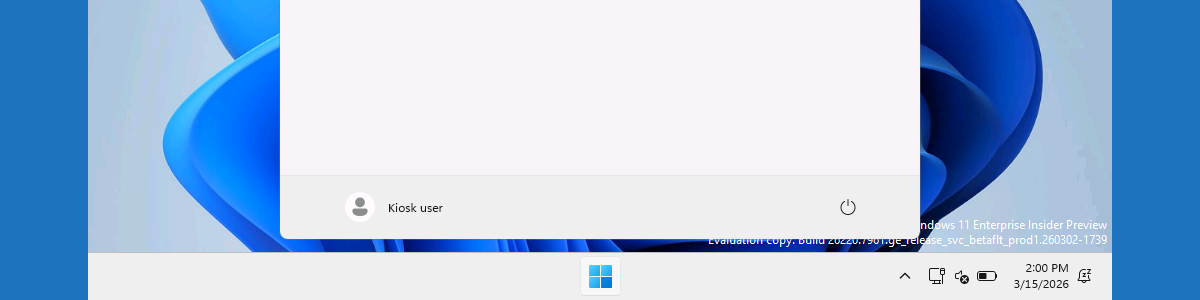
This week is all about another relatively small, but essential, configuration to further enhance the Start layout experience. Especially when using multi-app kiosk mode. That configuration is to hide the recommended section from the Start layout. Hiding that section is especially relevant when using a multi-app kiosk mode, as that includes a link to the Settings app when there are no recommendations. Even though that might sound pretty small, it does take away another item that a user could potentially click on and hitting an unnecessary blockage. In those cases lesser is better. That means that there are definitely scenarios in which it can be really useful to prevent the Start layout from displaying recommended applications and files. This post will provide a closer look …

Read more

Using Microsoft Edge secondary tiles in the Start layout and multi-app kiosk mode

This week is all about Microsoft Edge secondary tiles. Microsoft Edge secondary tiles are website shortcuts that are pinned to the Start layout. Those pins provide quick access to specific websites directly from the Start layout. Basically, those pins function similar to any other app shortcuts that are pinned to the Start layout. Any user can create website shortcuts in the Start layout by simply navigating in Microsoft Edge to Settings > More tools > Pin to Start. There can scenarios in which it might be useful to already pre-pin specific websites for the user. The most common scenario is a multi-app kiosk mode configuration in which specific websites must be pinned for the users of those devices. That’s where Microsoft Edge secondary tiles become …

Read more

Understanding the profile assignment of multi-app kiosk mode on Windows 11

This week is all about multi-app kiosk mode on Windows 11. That on itself is not something really new and to get started with that, have a look at this post around configuring multi-app kiosk mode on Windows 11. The documentation, however, is getting better and better, by describing more and more capabilities for multi-app kiosk mode on Windows 11. One of the challenges used to be the profile assignment of the multi-app kiosk mode configuration. Especially when looking at an autologon scenario. There are now configurations available to address basically all of the different scenarios that could be required. From autologon, to global assignment, to individual assignments, to group assignments. And from local accounts to Entra accounts. This post will provide a closer look …

Read more

Using offline mode and app access without signing in on Android Enterprise dedicated devices

This week is all about the recently introduced functionalities of offline mode and app access without signing in. Those functionalities are specifically created for Android Enterprise dedicated devices that are enrolled into Microsoft Entra shared device mode and that are using the Managed Home Screen as launcher for other approved apps. Both of these functionalities are focused on scenarios in which the user is required to sign in to the device before the apps on the device can be used. With these functionalities, however, the IT administrator can enable specific apps to be available even when the device is offline, and even before signing in to the device. That makes sure that the user can still be productive when the device is offline, and can …

Read more

Configuring multi-app kiosk mode on Windows 11

This week is all about multi-app kiosk mode on Windows 11 devices. Kiosk mode on itself is nothing new, nor is the configuration of kiosk mode. However, until a few months ago, it was not possible to configure multi-app kiosk mode on Windows 11. That’s possible now, except the configuration options via Microsoft Intune are not that straight forward yet. As in, it’s not available via a standardized configuration profile yet. It is, however, already possible to configure multi-app kiosk mode via the MDM WMI Bridge Provider. That provider relies on configuration capabilities within the MDM channel, which means that the configuration can also be achieved directly via Microsoft Intune. Multi-app kiosk mode relies on assigned access to run one or more apps from the …

Read more