Getting started with secure password deployment in Microsoft Edge

This week is still about Microsoft Edge. More specifically, this week is all about the secure password deployment feature of Microsoft Edge. Secure password deployment enables IT administrators to securely deploy encrypted shared passwords to users. That can be useful with shared credentials for specific user accounts and applications. For example for easily getting access to a specific dashboard, or to specific social media accounts. There are many possible use cases. With secure password deployment, users will receive the deployed passwords in their work profile in Microsoft Edge on their managed device. That will help with reducing the risk of (over)sharing passwords with the wrong audience, and with that it helps with enhancing the overall security posture of the organization. This post will look closer …
Read more

Allowing users to request the installation of browser extensions for Microsoft Edge

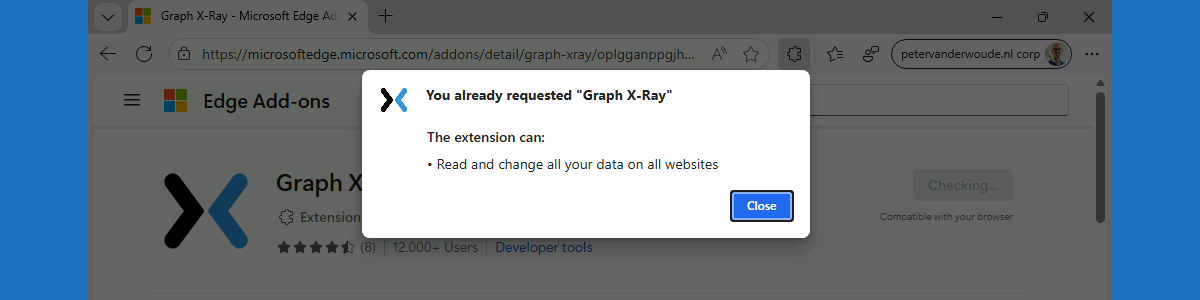
This week is also about Microsoft Edge. More specifically, about managing browser extensions for Microsoft Edge. That has been a subject before, but in that case it was focused on fully managing Microsoft Edge browser extensions on Windows devices. In that case, it was a pretty strict configuration focussed on creating an allow list for Microsoft Edge browser extensions. There are, however, easier methods for allowing users to request the installation of extensions for Microsoft Edge. Within the Microsoft Edge management service there is ability to block the installation of extensions by default, while allowing user to request the installation of any blocked extension. Once the installation is requested, the IT administrator has to approve the installation by allowing the requested extension. With that, IT …

Read more

Reinforcing data protection with watermark protection in Microsoft Edge

This week is all about watermark protection in Microsoft Edge. Watermark protection is focused on visibly reinforcing data protection in Microsoft Edge, and that reinforcement is achieved by overlaying a watermark on sensitive data when viewed in the browser. Watermark protection in Microsoft Edge is – like in any other Microsoft solution – designed to discourage sharing screenshots, support compliance requirements, and increase the awareness of users when handling sensitive data. With that, watermark protection does not technically prevent users from sharing sensitive data, but it does make the user aware of the sensitivity of the data. And on top of that, it will become a lot easier to understand the source of a potential data leakage. This post will provide a closer look on …

Read more

Blocking other browsers with policies for Microsoft Edge (be careful)

This week is all about creating awareness. Creating awareness for the configuration options that are available for Microsoft Edge via the Microsoft 365 admin center, also known as the Microsoft Edge management service. The Microsoft Edge management service is an alternative method, besides Microsoft Intune, for configuring the Microsoft Edge browser via the Cloud. The configurations are stored in the Cloud and the settings can be applied through a group assignment. The user must be signed into the browser to receive those settings, and the browser must be restarted to make new settings applicable. So, pretty similar to the capabilities within Microsoft Intune. Besides that, the Microsoft Edge management service also provides access to additional settings, such as organization branding, AI, and specific security settings. …

Read more

Configuring a single app, full-screen kiosk with Microsoft Edge on Windows 11

This week is all about configuring a single app, full-screen kiosk with Microsoft Edge on Windows 11 devices. A kiosk is nothing new and the Microsoft Edge browser not either. And even the combination of both is nothing new. That being said, there are often unknowns in the configuration options and what actually happens with Microsoft Edge when configuring it as the kiosk application. And that often causes questions. So, this post should take some of those questions away. One of the things that’s often forgotten, for example, is that the Microsoft Edge browser will also run in kiosk mode. And that puts limitations on its capabilities. This post will focus on configuring a single app, full-screen kiosk with Microsoft Edge on Windows 11 devices, …

Read more

Working with in-browser protection in Microsoft Edge for Business

This week another blog post focused on the security capabilities within Microsoft Edge. With the introduction of Microsoft Edge for Business, there is a larger focus on providing a Microsoft Edge experience for work. That experience provides IT administrators with the ability to give their users a productive and secure browser for work, across managed and unmanaged devices. With that, Microsoft Edge can be the secure enterprise browser for many organizations. Especially with the focus of Microsoft Edge on security, privacy, and manageability. And not just that, it includes enhanced productivity alongside the security features. That brings us to the focus of this week and that is in-browser protection. In-browser protection is a great example of that combination as it reduces the need for proxies, …

Read more

Managing automatic switching in Microsoft Edge for Business

This week is all about Microsoft Edge for Business and the automatic switching feature. Microsoft Edge for Business is the dedicated Microsoft Edge experience that is created for work accounts. It provides IT administrators with the capabilities to provide users with a productive and secure browsing experience across managed and unmanaged devices. That includes the ability to manage the automatic switching behavior between work and personal profiles. Automatically switching between profiles can help users to keep their work and personal browsing separate. When the device has an existing work profile, it enables automatic switching when adding a personal profile, to enforce the browsing context separation. That behavior can also be managed. The automatic switching is not always desirable, or sometimes needs some tuning. This post will …

Read more

Adding company branding to Microsoft Edge for Business

This week is all about Microsoft Edge for Business and the new ability to add company branding. Microsoft Edge for Business is the new dedicated Microsoft Edge experience that is created for work accounts. It provides IT administrators with the capabilities to provide users with a productive and secure browsing experience across managed and unmanaged devices. That includes the ability to add company branding to the work account in Microsoft Edge for Business. Adding company branding can be especially useful for differentiating between multiple profiles in the browser. The company branding includes organization details like the company name in the profile pill, and the company color and logo in the profile flyout. Besides that, it’s even possible to add a logo to overlay the Microsoft …

Read more