Starting with admin tasks in Microsoft Intune

This week is all about the recently newly introduced admin tasks node in the Microsoft Intune admin center. That node provides a centralized view for many different types of administrative tasks. The idea behind that node is to provide a unified experience that helps IT administrators with focusing on the tasks that really matter without navigating through all different nodes within Microsoft Intune admin center. The admin tasks node now provides an overview of all the different security tasks, user elevation requests, and admin approvals request. That further simplifies the life of an IT administrator, when using Microsoft Intune. And the best part of it: it only shows the administrative tasks that the IT administrator is allowed to see based on the original source node. …
Read more

Preventing accidental device wipe with multiple administrative approval in Microsoft Intune

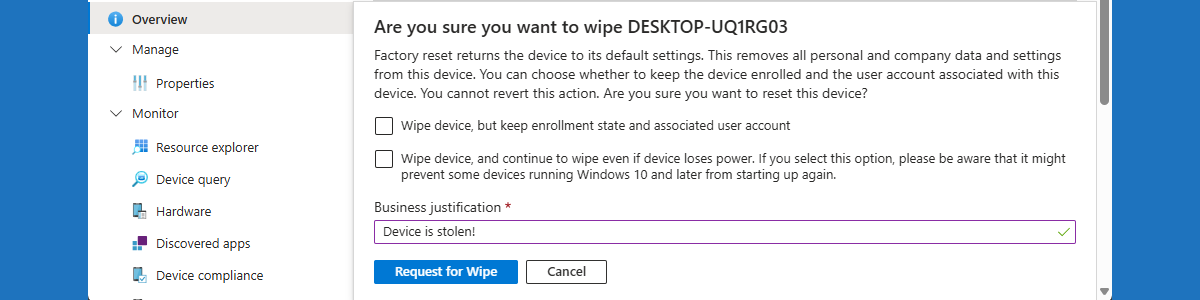
This week is all about the preventing accidental device wipes by using multiple administrative approval in Microsoft Intune. Multiple administrative approval on itself is nothing new, but the latest addition to that functionality makes it a lot more powerful. Before, multiple administrative approval was mainly focused adding apps and scripts to Microsoft Intune. Nowadays, multiple administrative approval can also be used for Intune roles and the most critical device actions. Those device actions include device wipe, device retire, and device delete. With those device actions, there will be a little safety net for IT administrators when performing impactful device actions without really giving in on security. Multiple administrative approval will help with preventing accidentally wiping a device. Every device wipe will require an approval from …

Read more

Getting started with multiple administrative approvals

This week is all about a nice new feature of Microsoft Intune. That new feature is multiple administrative approval (MAA). MAA enables organizations to require a second administrative user to approve a change before the change is actually applied. That limits the chance of accidental mistakes and even helps with the protection against compromised administrative accounts. With MAA, the most breaking and impactful changes can be protected. At this moment that includes specific resources, like apps and scripts. Changes to those resources can protected with MAA. That protection can be created by using Access policies. Access policies can be configured to protect specific resources with MAA. This post will go through the steps to configure those policies, followed with the behavior that those policies introduce. …

Read more