Getting started with secure password deployment in Microsoft Edge

This week is still about Microsoft Edge. More specifically, this week is all about the secure password deployment feature of Microsoft Edge. Secure password deployment enables IT administrators to securely deploy encrypted shared passwords to users. That can be useful with shared credentials for specific user accounts and applications. For example for easily getting access to a specific dashboard, or to specific social media accounts. There are many possible use cases. With secure password deployment, users will receive the deployed passwords in their work profile in Microsoft Edge on their managed device. That will help with reducing the risk of (over)sharing passwords with the wrong audience, and with that it helps with enhancing the overall security posture of the organization. This post will look closer …
Read more

Allowing users to request the installation of browser extensions for Microsoft Edge

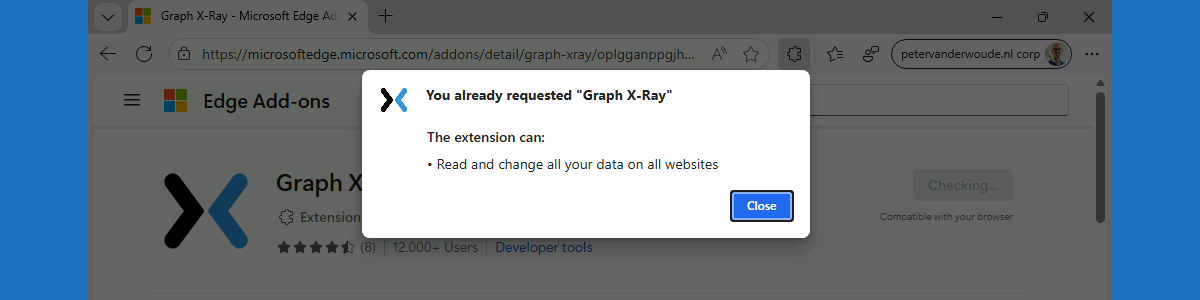
This week is also about Microsoft Edge. More specifically, about managing browser extensions for Microsoft Edge. That has been a subject before, but in that case it was focused on fully managing Microsoft Edge browser extensions on Windows devices. In that case, it was a pretty strict configuration focussed on creating an allow list for Microsoft Edge browser extensions. There are, however, easier methods for allowing users to request the installation of extensions for Microsoft Edge. Within the Microsoft Edge management service there is ability to block the installation of extensions by default, while allowing user to request the installation of any blocked extension. Once the installation is requested, the IT administrator has to approve the installation by allowing the requested extension. With that, IT …

Read more

Reinforcing data protection with watermark protection in Microsoft Edge

This week is all about watermark protection in Microsoft Edge. Watermark protection is focused on visibly reinforcing data protection in Microsoft Edge, and that reinforcement is achieved by overlaying a watermark on sensitive data when viewed in the browser. Watermark protection in Microsoft Edge is – like in any other Microsoft solution – designed to discourage sharing screenshots, support compliance requirements, and increase the awareness of users when handling sensitive data. With that, watermark protection does not technically prevent users from sharing sensitive data, but it does make the user aware of the sensitivity of the data. And on top of that, it will become a lot easier to understand the source of a potential data leakage. This post will provide a closer look on …

Read more