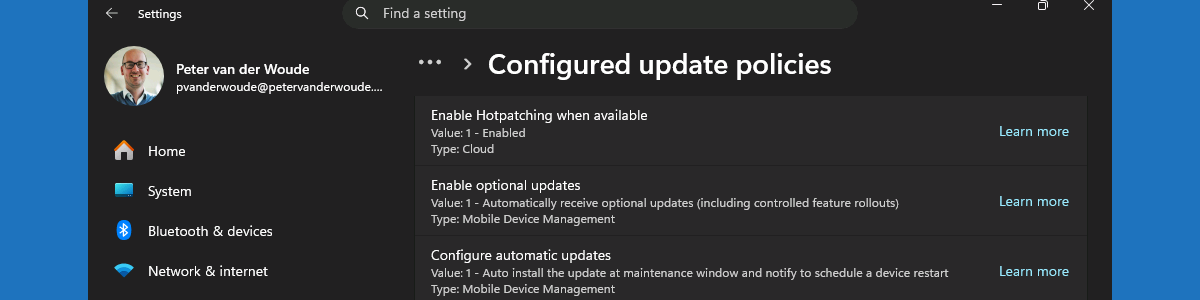
Working with the automatic enablement of Windows hotpatch security updates

This week is all about the recently introduced configuration that will enable Windows hotpatch security updates by default. The configuration to enable the usage of hotpatch security updates has been available since the introduction of Windows 11 version 24H2, and can be configured relatively as shown in this post. Starting with the Windows security update of May 2026, Windows Autopatch will enable hotpatch security updates by default. That should help organizations with easier getting more secure. The configuration is achieved via a tenant-wide configuration via Windows Autopatch that is only applied when no quality update policies are applied to the device. That configuration is available in Microsoft Intune and will be enabled by default. This post will provide a closer look at that new tenant-wide …

Read more

Understanding Windows Autopatch groups

This week something completely different, but maybe even more intriguing at some level. That something is Windows Autopach groups. Windows Autopatch groups are logical containers, or units, that can group several Azure AD groups and different software update policies, within Windows Autopatch. That’s a really nice addition to Windows Autopatch that is available starting with the latest service update of May 2023. Windows Autopatch groups enable organizations to create different selections of devices with as many as 15 unique deployment rings, custom cadences and content. And a tenant can contain up to 50 Windows Autopatch groups. That enables IT administrator to create nearly any structure for patching their devices within Windows Autopatch. This post will start with some more details for understanding Windows Autopatch groups, …

Read more

Registering devices with the Windows Autopatch service

This week is all about the relatively new Windows Autopatch. Windows Autopatch is a cloud service provided, by Microsoft, that automates the update process for Windows, Microsoft 365 Apps for enterprise, Microsoft Edge, and Microsoft Teams. The steps to get started with Windows Autopatch are pretty straight forward, especially with the latest adjustments of how the service interacts with the tenant. Those adjustments improve the security posture of the service, by relying on application-only authentication, and further simplifies the enrollment process of the tenant. Together that makes the enrollment pretty straight forward. That’s also why this post simply assumes that the onboarding is successfully performed. Once the tenant is enrolled to the Windows Autopatch service, the next main action is the registration of the devices …

Read more