Requiring the use of Windows Hello for Business for interactive logons

This week is all about Windows Hello for Business. Windows Hello for Business provides a really convenient and user-friendly method to authenticate in Windows, as it enables users to verify their identity by using a gesture (face, fingerprint or PIN). More importantly, however, Windows Hello for Business is also an important step in the transition to a passwordless environment, as it replaces the need for the traditional username-password authentication with a strong two-factor authentication on Windows devices. By default, Windows Hello for Business will be an additional method to get authenticated in Windows. When working towards a passwordless environment, it’s important to also take further actions for Windows devices, by preventing the use of the traditional username-password and by requiring the use of Windows Hello …

Read more

Alternatives for querying and visualizing Update Compliance data

This week is follow-up on the post of last week about enhancing Update Compliance with a custom Workbook in Microsoft Endpoint Manager admin center. There were multiple questions on that post regarding alternatives for querying and visualizing the Update Compliance data. The good news is that there are actually multiple alternatives for querying Update Compliance data, but, in all fairness, all the alternatives rely on the same API. The Azure Log Analytics REST API. That API can be called by specifying the workspace, providing a token and running the required query. Pretty straight forward. Also, that API is an important part of most other methods that are used for querying Update Compliance data. This post will provide a quick introduction to the Azure Log Analytics …

Read more

Enhance Update Compliance with a custom Workbook in Microsoft Endpoint Manager admin center

This week is all about enhancing Update Compliance by using a custom Workbook within the Microsoft Endpoint Manager admin console. The Update Compliance Workbook. That Update Compliance Workbook enables the IT administrator to get a quick view on the most important details. Besides that, adding that Update Compliance Workbook in the Microsoft Endpoint Manager admin center enables the IT administrator to pin the different queries of that Update Compliance Workbook to the dashboard. That provides the IT administrator with a dashboard that contains all the status information about the Microsoft Intune environment and a quick overview of the update status of the Windows 10 devices within that environment. This post provides that Update Compliance Workbook with the most important status information coming from the Update …

Read more

Using filters for assigning apps, policies and profiles to specific devices

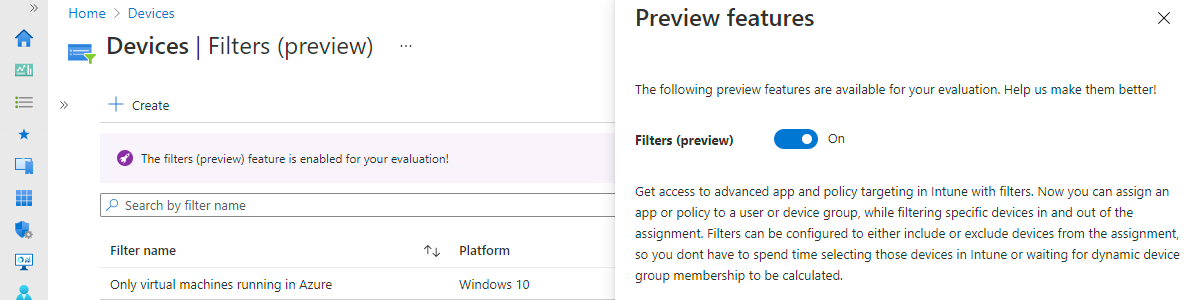
This week is all about filters. Filters are basically a super-set of the functionalities of applicability rules – already available for a while for Windows 10 – and are a great new addition to assigning apps policies and profiles to specific devices. Those specific devices are only the devices that meet the specific properties that are configured in the filters. A great method for specifically targeting apps, policies and profiles. This post starts with a short introduction about filters, followed with information about creating and using filters (including the steps for using and creating filters). This post ends with the administrator experience with filters. Introducing filters For device configuration profiles for Windows 10 devices it was already possible to use applicability rules. Applicability rules would …

Read more

Enhance inventory reporting with local administrator information

This week is all about enhancing inventory reporting with information about the local administrators on the managed Windows 10 devices. This time is not about managing the different local administrators on those Windows 10 devices, but this time is about creating a report that provides insights to the different local administrators that are configured on those Windows 10 devices. The solution to enhance the inventory reporting, relies on PowerShell, Log analytics, Workbooks and the Azure Monitor HTTP Data Collector API. PowerShell is used to gather the information on the local device and uses the Azure Monitor HTTP Data Collector API to write the gathered information to Log analytics. Workbooks are used to visualize the gathered data from Log analytics. This solution is inspired and based …

Read more

Locating lost or stolen Windows 10 devices

This week is all about a small new feature for Windows 10 devices that was introduced with the latest service release of Microsoft Intune. That new feature is the ability to find lost or stolen Windows 10 devices. Starting with the 2104 service release of Microsoft Intune, the Locate device remote device action – already available for supervised iOS and iPadOs device – also becomes available for Windows 10 devices. That enables IT administrators to find lost or stolen Windows 10 devices. This post will start by going through the information about the new remote action, including the implications, followed with the steps for configuring the privacy settings. This post will end by showing the IT administrator and user experience. Introduction to the location service …

Read more

Conditional access and registering or joining devices to Azure AD

This week is all about registering and joining devices to Azure Active Directory (Azure AD). More specifically, about requiring multi-factor authentication (MFA) when registering or joining devices to Azure AD. Starting with March 2021, Azure AD contains a new feature in Conditional Access (CA) that provides more flexibility for requiring MFA when registering or joining devices to Azure AD. That new feature is the Register or join devices user action. This post will start with a short introduction about that new user action, followed with the steps to configure that user action. This post will end with a look at sign-in logs. Important: The Register or join devices user action is also the new recommended method for enforcing MFA when registering or joining a device …

Read more

Working with supersedence relationships for Win32 apps

This week is all about Win32 apps in Microsoft Intune. Last year I’ve written a lot about the different features of Win32 apps and now, starting with the 2102 service release of Microsoft Intune, there is a new feature for Win32 apps. That feature is the ability to create supersendence relationships between different Win32 apps. That relationship can be used to update a Win32 app to a newer version of the Win32 app, or to replace a Win32 app with a different version of the Win32 app. Actually, it can even be used to replace a Win32 app with a completely different Win32 app. This post will start with the theory of supersedence relationships for Win32 apps, followed with the steps to configure a supersedence …

Read more

Working with Exploit Protection to protect devices from being exploited

This week is all about Exploit Protection. An often overlooked security feature that is available in the Windows Security app, screaming for more awareness. Exploit Protection was originally introduced as one of the four main components of Windows Defender Exploit Guard (Exploit Guard). Exploit Guard itself was introduced as a major update to Microsoft Defender Antivirus, in Windows 10 version 1709, and was the successor of Enhance Mitigation Experience Toolkit (EMET). Actually, the Exploit Protection component contains the actual replacement functionality of EMET, and more. Nowadays Exploit Protection is part of the App & browser control section in the Windows Security app, but many configuration paths still refer to Exploit Guard. In this post I’ll start with an introduction about Exploit protection, followed with the …

Read more

Standardizing and simplifying management with Windows 10 in cloud configuration

This week is al about Windows 10 in cloud configuration (also known as cloud config). Cloud config is focused on standardizing and simplifying management for users with focused workflow needs and initially started as a documented set of recommended configuration settings. At that point in time, it was already known that eventually it would evolve to be more than just documentation. And it really did evolved. With the latest service updates to Microsoft Intune (2103), a new guided scenario is introduced that will walk the IT administrator through a few important variables and that will create all the earlier mentioned recommended configuration settings. This post will start with a quick introduction about cloud config, followed with the steps to walk through the guided scenario. This post …

Read more