Starting with admin tasks in Microsoft Intune

This week is all about the recently newly introduced admin tasks node in the Microsoft Intune admin center. That node provides a centralized view for many different types of administrative tasks. The idea behind that node is to provide a unified experience that helps IT administrators with focusing on the tasks that really matter without navigating through all different nodes within Microsoft Intune admin center. The admin tasks node now provides an overview of all the different security tasks, user elevation requests, and admin approvals request. That further simplifies the life of an IT administrator, when using Microsoft Intune. And the best part of it: it only shows the administrative tasks that the IT administrator is allowed to see based on the original source node. …

Read more

Configuring Windows Spotlight

This week is all about configuring Windows Spotlight. Windows Spotlight is definitely not something new, as it already exists since the beginning of Windows 10, but it is good to be familiar with the capabilities and configuration options. This week will be a refresher. Windows Spotlight is a Windows feature that can be used to display different wallpapers on the background of the desktop and the lock screen, and offers suggestions, fun facts, tips or organizational messages. In that case, when using Windows Spotlight for displaying different wallpapers, a new image is displayed every day on the lock screen or the desktop. On top of that, when using Windows Spotlight for displaying suggestions, fun facts, tips, recommendations are displayed on how to enhance productivity in …

Read more

Understanding Windows 365 Reserve

This week is a little less technical, as it is more theoretical about the concept of Windows 365 Reserve. A concept that justifies some additional context, information and awareness. Windows 365 Reserve is a version of Windows 365 that is focused on providing organizations with a flexible solution to keep users productive during unexpected disruptions on their physical devices. The main idea behind that concept is to add business continuity by enabling direct access to a Cloud PC when there are issues with physical devices. From a user perspective, the concept of Windows 365 Reserve is just another Cloud PC. From a licensing perspective, it is also just another Cloud PC, but just temporarily and with a limited feature set. This post will go into …

Read more

Getting started with Windows 365 Cloud Apps

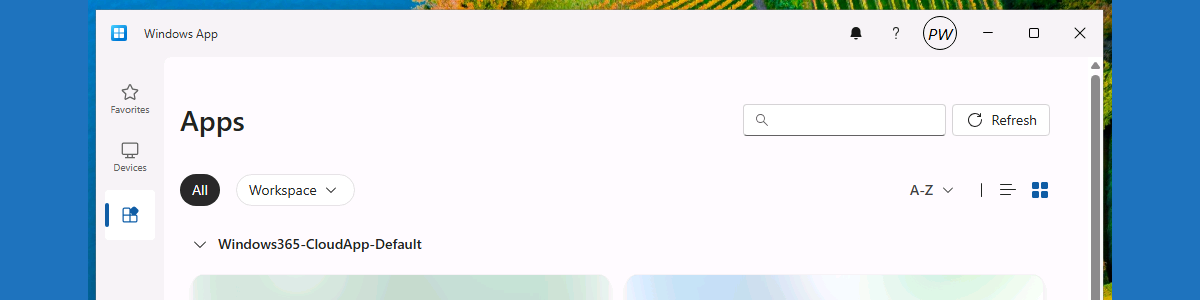
This week is all about getting started with Windows 365 Cloud Apps. Not something really new, but definitely a simple IT administrator experience that is worth highlighting. Cloud Apps provides IT administrators with the ability to easily provide users with secure access to specific apps only, that are hosted on a Cloud PC. And that access is without the need for a dedicated Cloud PC for those users. That functionality relies on Windows 365 Frontline in shared mode. So, that also means that this functionality requires Windows 365 Frontline licenses. Keep in mind that, even though the name might imply something different, this license is not directly related to any Microsoft 365 F1 or F3 license. The best part of it is, that it has …

Read more