Connecting Microsoft Intune with Managed Google Play – The new and easy way

This week is all about connecting Microsoft Intune with Managed Google Play. There has been multiple post already on this blog describing all the different management options available to Android devices. The biggest part being focused on Android Enterprise. Not really strange as Android Enterprise is the most common used program by organizations to integrate support for their Android devices into their management solution. That includes Microsoft Intune. The availability of the APIs belonging to Android Enterprise make sure that the management of Android devices can be standardized and contains many configuration capabilities cross vendor. To get that integration between Microsoft Intune and Android Enterprise, it’s important to connect Microsoft Intune with a Managed Google Play account. Creating that connection has never really been a …

Read more

Understanding the pause config refresh remote action for Windows devices

This week is sort of a follow up on a post of almost a year ago about scheduling automatic policy refreshes for Windows devices without requiring a check-in. While that post was focused on actually scheduling automatic policy refreshes for Windows devices, by using Config Refresh, this post will be focused on temporarily pausing that scheduled policy refresh. Temporarily pausing the scheduled policy refreshes provides the IT administrator with a window for troubleshooting the device. Without pausing the scheduled policy refreshes, the supported configurations will automatically refresh their policies. That can be pretty disturbing when verifying specific behavior with specific configurations. So, pausing the automatic policy refreshes is an important piece of the scheduled policy refresh. Automatic policy refresh relies on Config Refresh that is …

Read more

Getting started with just-in-time registration and compliance remediation

This week is all about just-in-time (JIT) registration and compliance remediation. Not something completely new, but it’s new that it’s now available for all iOS and iPadOS enrollments. In a way this post is a follow-up, or deeper dive, to this post about getting started with web-based device enrollment. While that post was really focused on the web-based device enrollment, this post is focused more on a specific feature that’s also used for web-based device enrollment. That feature is JIT registration. JIT registration, however, can be used for more than just the registration of the device. It can also be used for the compliance remediation of the device. This post will start with a short introduction to JIT registration and JIT compliance remediation, followed with …

Read more

Managing recommended security settings for Windows Subsystem for Linux

This week is all about Windows Subsystem for Linux (WSL) and managing the recommended settings. WSL is a feature of Windows that allows users to run a Linux environment directly on their Windows machine. All without the need of running a separate VM. It’s designed to provide a seamless and productive experience for users who want to use both Windows and Linux at the same time. Of course, it’s important to address that level of productivity with the right level of security. Luckily, Microsoft also provides a guidance around enabling the secure use of Linux with WSL in an enterprise environment. All focused on using Microsoft Intune and Microsoft Defender. This post will have a brief look at the recommended security settings for WSL, followed …

Read more

Temporarily removing apps and configurations from mobile devices

This week is all about a new feature that is specifically for mobile devices, and that feature is the ability to remove, reinstall, and re-apply specific configuration policies, configuration profiles, and apps. The best part is that it can be achieved without changing the assignments of those apps and configurations. That can be really useful to help with resolving specific challenges and to quickly restore the productivity of the user. The apps and configurations that were removed will automatically be restored within 8-24 hours. Alternatively, the IT administrator can also manually initiate an action to restore the removed apps and configurations earlier. So, in the end, the focus remains on ensuring that the devices remain consistent with the assigned apps and configurations. This post will …

Read more

Working with support approved elevations

This week is all about highlighting some recent functionalities that have been introduced in Endpoint Privilege Management (EPM). The most important functionality is probably the newly supported file extensions of .msi and .ps1. That provides a larger footprint for EPM in the world of often elevated file extensions. The same experience as already known for executables. Besides that, there is more new functionality within EPM that might even be more powerful. That functionality is support approved elevations. Support approved elevations allow IT administrators to require approval before an elevation is allowed. That makes sure that when a user tries to run a file in an elevated context that the user is prompted to submit an elevation request. That request is sent to Intune for a …

Read more

Understanding enrollment restrictions for Windows devices

This week is a follow up to the post of last week. That post was focused on understanding corporate identifiers for Windows devices. A method to identify specific devices as corporate Windows devices, which is especially useful in combination with Windows Autopilot device preparation. This post will actually add-on to those corporate identifiers, by focusing on enrollment restrictions for Windows devices. Enrollment restrictions for Windows devices can be used to restrict devices from enrolling in Microsoft Intune. The main differentiators so far, however, were the ownership and OS version of the devices. But something changed in that area as well. With the assignment of device enrollment restrictions for Windows devices it’s now also possible to use specific filters. Using those filters provides more granularity in …

Read more

Understanding corporate identifiers for Windows devices

This week is sort of a follow up to the post of last week. That post was focused on understanding enrollment time grouping in Windows Autopilot device preparation. This post will focus on corporate identifiers for Windows devices. Corporate device identifiers are an important, but not required, addition to the Windows Autopilot device preparation experience. As the concept of Windows Autopilot device preparation is slightly different compared to the Windows Autopilot deployment profiles, there are also different requirements to still register a device as a corporate device. There is no longer the requirement to register devices with the Windows Autopilot deployment service. That, however, also means that there must be something different to make sure that only trusted devices can go through the Windows Autopilot …

Read more

Understanding enrollment time grouping

This week is all about one of the key features of Windows Autopilot device preparation. That feature is enrollment time grouping. Windows Autopilot device preparation itself is a new iteration of Windows Autopilot and is used to quickly set up and configure new Windows devices. So far, nothing new. The focus, however, of Windows Autopilot device preparation is to further simplify the deployment of Windows devices, by delivering consistent configurations, enhancing the overall setup speed, and improving the troubleshooting capabilities. Besides that, it also takes away the requirement of first registering Windows devices with the Windows Autopilot service. Instead the Windows Autopilot device preparation profile is assigned to users and applied after user authentication during the out-of-box experience (OOBE). That provides a much more flexible …

Read more

Managing Windows AI features

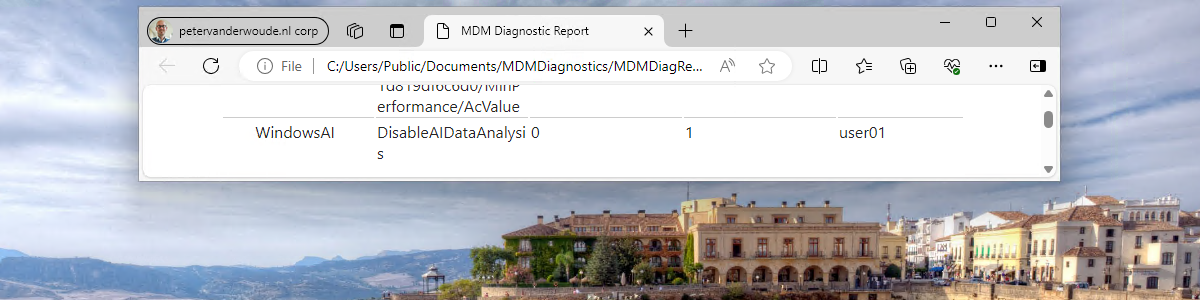
This week is all about managing the different Windows AI features that are becoming available on Window 11. Main reason to look at those configurations is triggered by the recent introduction of Windows Recall. Recall is a feature that makes snapshots of the screen and puts that in a timeline. Those snapshots are locally stored on the device. The analyses provided by Recall enables the user to search through those snapshots by using natural language. A potentially really strong feature, but also feature that an organization might want to investigate before using. Something similar is also applicable to another Windows AI feature that was introduced a bit earlier, being Windows Copilot. Besides that, another interesting Windows AI feature is Image Creator in Windows Paint. That’s …

Read more